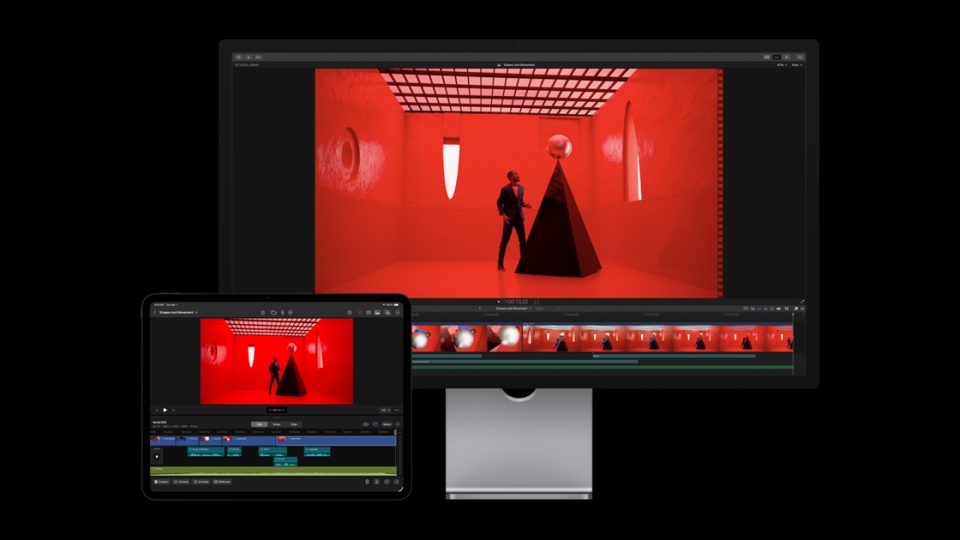
Final Cut Pro
Disclosure: This page contains affiliate links. If you buy through them, we may earn a commission at no extra cost to you. As an Amazon Associate we earn from qualifying purchases.
Appears in these guides
Review
Final Cut Pro is a video editing application from Apple aimed at professional and prosumer editors who work on macOS. It is often chosen by people who prioritize a fast, native macOS experience and integration with other Apple apps and hardware.
Key areas where Final Cut Pro is commonly noted include a streamlined editing workflow, support for a variety of media types, and tools for color correction and audio mixing. Below is a short list of core features you are likely to encounter in the app.
- Magnetic timeline and clip-based editing workflow
- Multicam editing and synchronized clips
- Built-in color grading and LUT support
- Audio editing and basic mixing tools
- Effects, transitions, and title templates
- Proxy workflow for editing large-resolution footage
Performance is a frequent selling point for users who run the app on recent Mac hardware. Responsiveness, background rendering, and smooth playback will vary with your Mac model, storage speed, and media formats. You should expect better performance on systems with faster CPUs, more memory, and high-bandwidth storage.
Usability leans toward editors who prefer a single-application environment with a focused interface. The timeline and shortcut-driven workflow can speed up common tasks, but there is a learning curve if you are moving from a different editing paradigm. Templates and presets can help accelerate routine edits once you are familiar with the layout.
Maintenance is mostly about keeping project libraries organized and the app updated. Large libraries and high-resolution media consume substantial disk space, so regular backups and an external storage strategy are prudent. Updates are delivered through the macOS software distribution channels, so check compatibility notes before upgrading macOS or the app for active projects.
What to watch out for includes platform lock in, project portability, and third-party codec support. Final Cut Pro runs on macOS only, so collaboration with editors on other platforms can require roundtrips using export formats or XML. Some specialized codecs and plugin features may need additional third-party components, and migrating complex timelines to other editors can be cumbersome.
This review was drafted by an AI and should be verified against official sources and hands-on testing.
Pros
- Optimized native macOS experience with typical fast playback
- Intuitive clip-based timeline for rapid editing
- Built-in tools for color and audio reduce need for external apps
- Proxy workflows help with editing high-resolution footage
Cons
- macOS only, limiting cross-platform collaboration
- Project interchange with other editors can be awkward
- Large libraries can demand significant disk and backup planning
- Some codecs or niche plugins may require third-party solutions